Microsoft Defender Antivirus (formerly known as Windows Defender Antivirus) is the free, built-in antivirus and antimalware solution included with Windows 10 and Windows 11. It's a core part of the Windows Security app and provides real-time protection against viruses, malware, spyware, ransomware, and other threats — no third-party software required!

It's powered by Microsoft's massive cloud infrastructure, using machine learning and behavioral analysis to detect both known and emerging (zero-day) threats.
How Does It Work?
- Real-Time Protection: Constantly scans files, apps, and downloads as you access them.
- Cloud-Delivered Protection: Sends suspicious file details to Microsoft's cloud for instant analysis (with user consent for privacy).
- Automatic Updates: Definitions and engine updates happen seamlessly via Windows Update.
- Integration: Works hand-in-hand with other Windows features like SmartScreen (for web/downloads) and Controlled Folder Access (ransomware protection).

If a threat is detected, it quarantines or removes it automatically, with options for manual scans.
Key Features
- Virus & Threat Protection: Quick/full/custom scans, offline scans for rootkits.
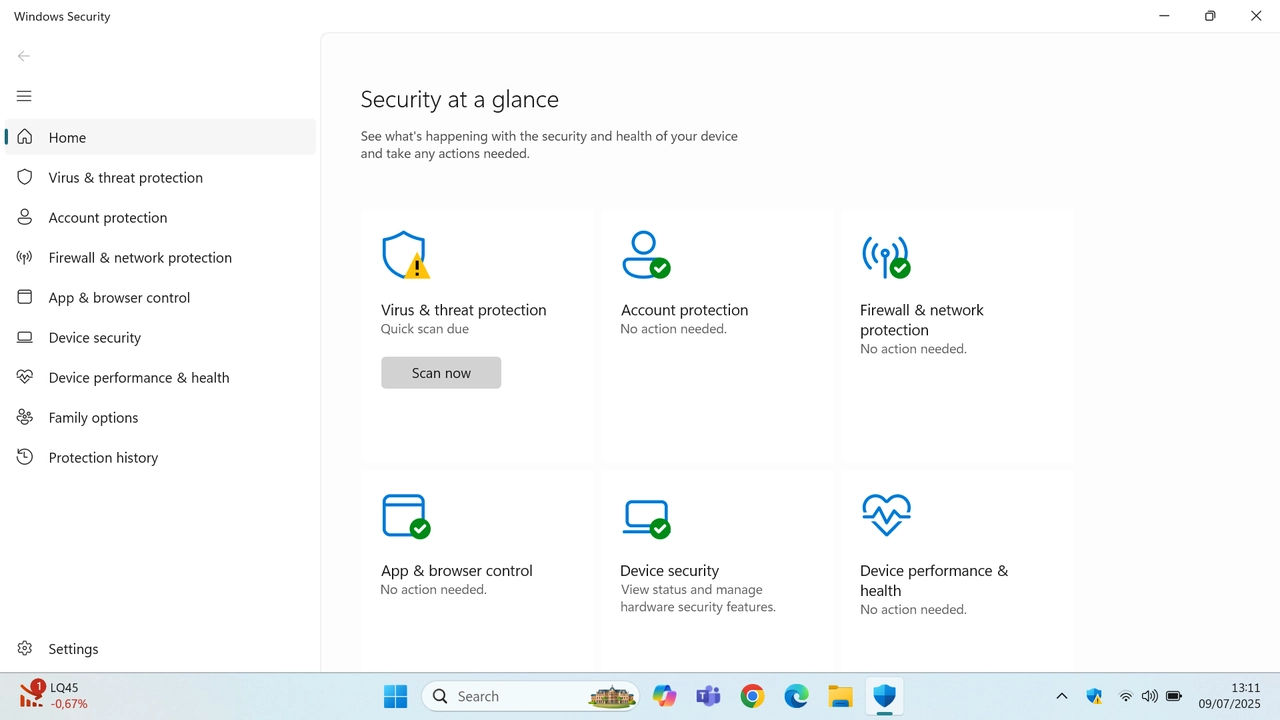
- Ransomware Protection: Blocks unauthorized changes to important folders.
- Account Protection: Helps secure sign-ins.
- Firewall & Network Protection: Built-in firewall.
- Performance & Health Reports: Device performance insights.
- Exploit Protection: Mitigates common exploit techniques.
It's highly rated (often matches or beats paid AVs in independent tests like AV-Comparatives).
How to Access and Manage It
Open the Windows Security app (search for it in Start menu) > Virus & threat protection section.
- Run scans manually.
- Manage exclusions (for trusted files/apps).
- Turn features on/off (but keep real-time protection enabled!).
Pro Tip: For enterprise/advanced users, it integrates with Microsoft Defender for Endpoint (paid). If you see performance issues, add exclusions for heavy apps like games.
This ties perfectly into our earlier chats on MotW and SmartScreen — together, they form a strong layered defense!
Comments
Post a Comment