No, Windows 10 is not considered safe for ongoing use after its end-of-support (EOS) date on October 14, 2025—this applies worldwide, including in the United States. Microsoft has stopped providing free security updates, bug fixes, feature updates, and technical support. Your PC will continue to run, but it becomes increasingly vulnerable to new viruses, malware, ransomware, and exploits as unpatched vulnerabilities accumulate.
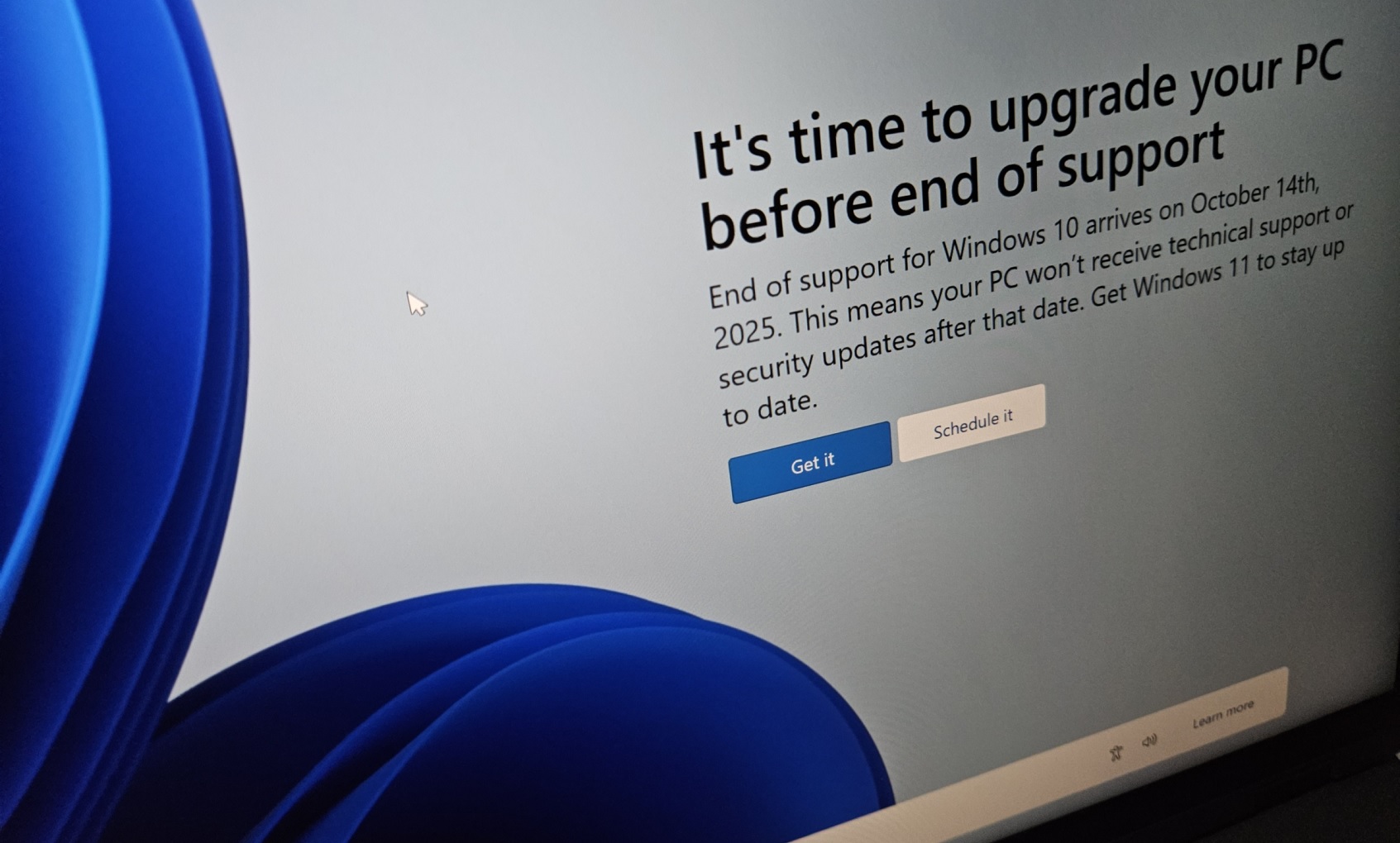
Full-screen end-of-support warning that appeared on many Windows 10 PCs.
Microsoft's official post-EOS advisory screen emphasizing heightened risks.
Why It's Unsafe in the US (and Everywhere)
- No More Free Patches: New security flaws discovered after October 2025 remain unfixed, making systems prime targets for hackers. Historical examples (e.g., WannaCry on Windows XP/7) show unsupported OSes face rapid exploitation.
- Rising Threats: As of late 2025, reports indicate increased targeting of Windows 10 devices, with cybercriminals exploiting the large user base (~40-43% of PCs globally).
- Microsoft Defender Continues: Antivirus definitions update until at least 2028, but this only catches known malware—not OS-level vulnerabilities.
- Other Software: Microsoft 365 apps run with limited support until 2028, but third-party programs may drop compatibility.
The policy is uniform—no US-specific differences in support or risks.
Options to Stay Secure
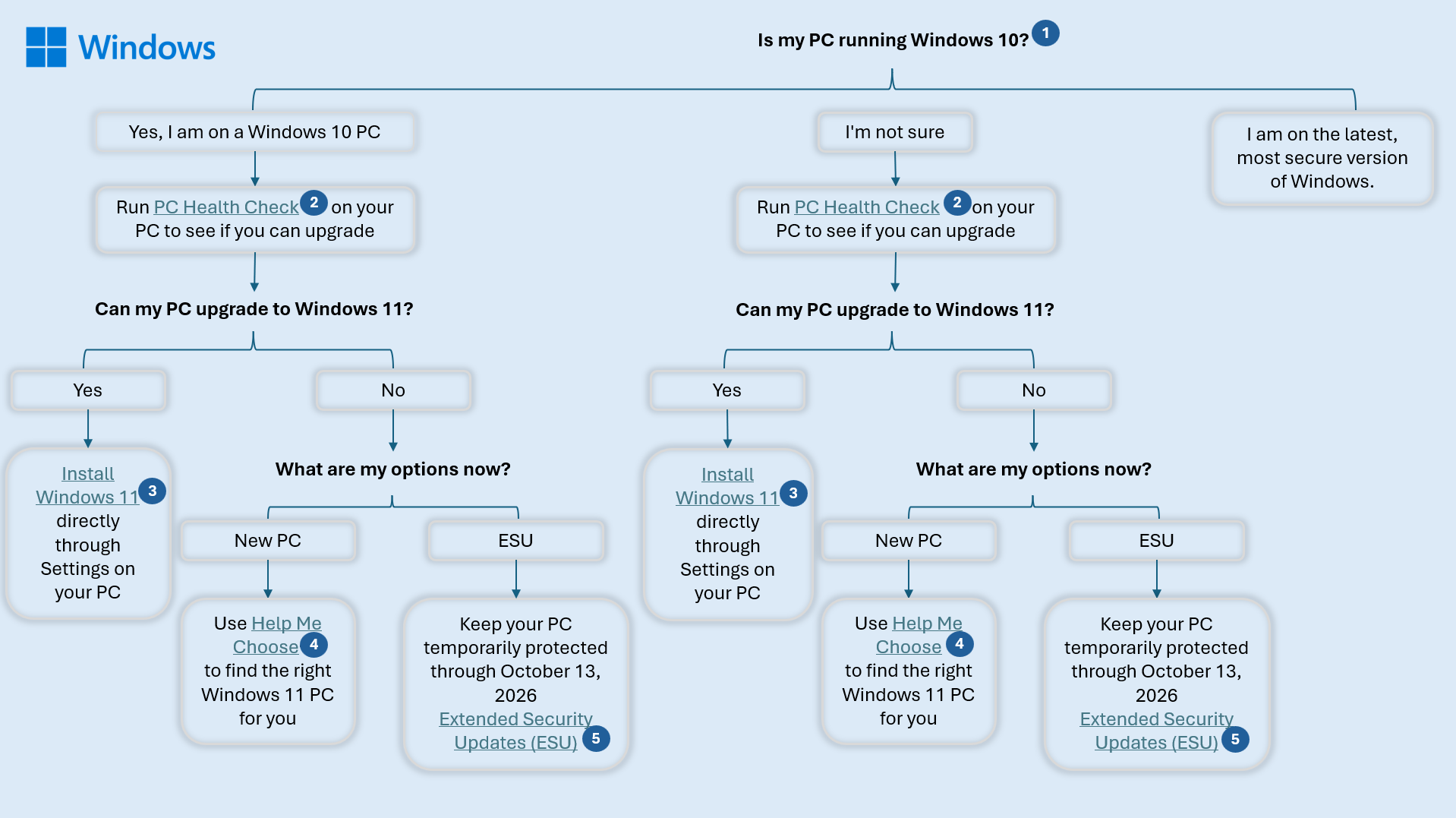
- Upgrade to Windows 11 (Best & Free): If your PC meets requirements (check via Settings > Windows Update), upgrade directly—it's more secure with built-in protections like TPM 2.0.
- Extended Security Updates (ESU): Paid program for critical patches:
- Consumers: One-year option (~$30) until October 2026; enroll via Settings (requires Windows 10 22H2).
- Temporary bridge—Microsoft urges upgrading eventually.
- Buy New Hardware: Many affordable Windows 11 devices available.
- Alternatives: Switch to Linux (e.g., Mint—free and secure) or use cloud options like Windows 365.
Illustration of Windows 10 EOL risks and migration paths.
In short: For safety in the US, upgrade now or enroll in ESU soon. Risks grow over time—don't delay! Check Microsoft's site for your device's status.
Comments
Post a Comment