It's possible to keep your Windows PC highly secure without installing third-party antivirus software. Microsoft's built-in Windows Security (formerly Windows Defender) has evolved into a robust, real-time antivirus that's often on par with paid options for most users. Independent tests and experts in 2025 confirm it's sufficient for everyday threats, especially when combined with smart habits and built-in features.
However, "without antivirus" here means no third-party tools—keep Microsoft Defender enabled! Disabling it leaves you vulnerable. Here's how to maximize protection:
1. Leverage Windows Security (Built-in Antivirus & More)
Open Windows Security (search for it in the Start menu) for a central dashboard managing protection.
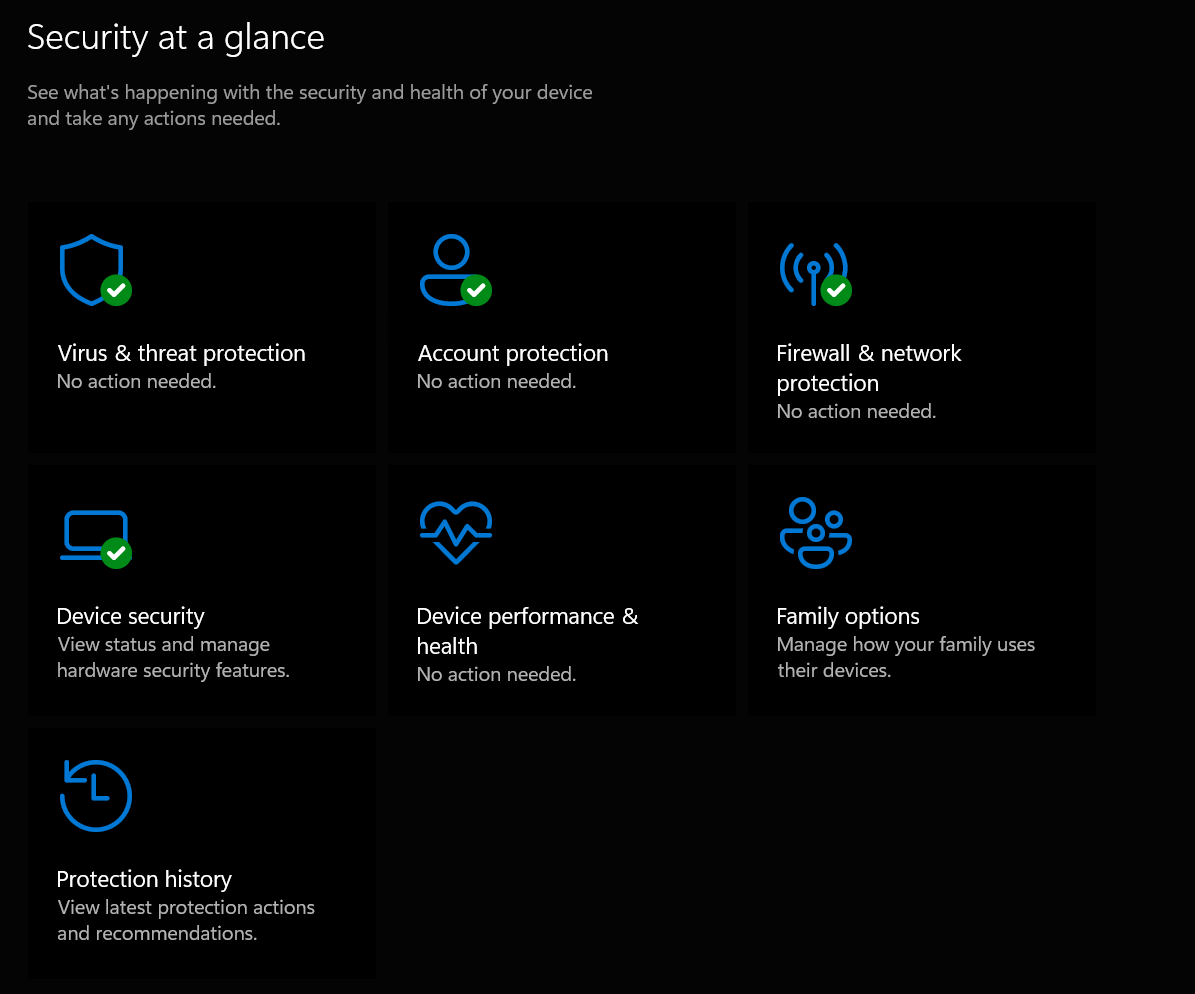
- Virus & threat protection — Real-time scanning is on by default. Run occasional full scans.
- Ransomware protection — Turn on Controlled folder access to block unauthorized changes to important folders.
- Firewall & network protection — Always active; block incoming connections on public networks.
- App & browser control — Enable SmartScreen for phishing/malware blocking in Edge and apps.
- Core isolation — Turn on Memory integrity for hardware-based protection against advanced attacks.
- Tamper Protection — Keeps malware from disabling Defender.
2. Keep Everything Updated
The #1 security practice: Updates patch vulnerabilities.
- Go to Settings > Windows Update → Check for updates daily/automatically.
- Enable updates for Microsoft Store apps and drivers.
Outdated software is a top attack vector—updates often fix exploits before malware spreads.
3. Practice Safe Browsing & Habits
Most infections come from user actions, not drive-by attacks.
- Use Microsoft Edge (or Chrome/Firefox with updates) — Built-in protections block malicious sites.
- Avoid clicking unknown links/email attachments.
- Download only from official sources (no pirated software/torrents).
- Enable 2FA everywhere and use a password manager (like Bitwarden—free).
- Use a standard user account (not admin) for daily tasks—limits damage if something slips through.
4. Additional Built-in Hardening
- BitLocker → Encrypt your drive (Settings > Privacy & security > Device encryption).
- Windows Hello → Use PIN/biometrics instead of simple passwords.
- Smart App Control (Windows 11) → Blocks untrusted apps (enable in Windows Security).
- Backups → Use OneDrive or external drives—ransomware can't encrypt offline backups.
When Might You Still Want Third-Party Antivirus?
- High-risk activities (e.g., frequent torrents, testing software).
- Extra features like VPN, password manager, or advanced phishing protection.
- If you're on Windows 10 (post-support October 2025)—third-party AV can still update definitions.
For most home users in 2025, Windows Security + updates + safe habits provide 99% protection without slowing your PC. Stay vigilant—security is a mindset, not just software!
Comments
Post a Comment